
Tikal Sunbound · Player guide
Your first adventure in Tikal Sunbound
You can start this online 3D fantasy RPG in your browser without downloading a client. You will need an internet connection and a Tikal Sunbound account.
1. Open the official browser game
Select Choose how to play, then enter Tikal and sign in or create an account. The web game offers email registration and Google sign-in. Follow the verification instructions shown for your account.
Use your account to return to saved characters and progress. If you prefer an installed client, the homepage has Mac and Windows downloads.
2. Create or select your adventurer
Choose an existing character or create a new adventurer. Follow the introduction before rushing into the mainland. Your guide and quest journal explain the current objective and the action needed to move on.
3. Review your permanent calling
Compare Jaguar Knight, Eagle Paladin, Sky Sorcerer and Jade Druid. Choosing a calling opens a review before final confirmation. You can go back from that review; confirming commits the character to the vocation.
Learn how your calling attacks and recovers. Check the spellbook for requirements, then prepare available techniques on the action bar.
4. Follow the journal and minimap
Read the active chapter rather than treating every marker as an objective. The journal explains whether you need to speak, gather, craft, fight or solve a puzzle. The minimap helps you find the relevant destination.
When an action is unavailable, read its requirement. You may need a material, a completed chapter or the right world phase. Arriving at a marker is not always the same as completing the quest.
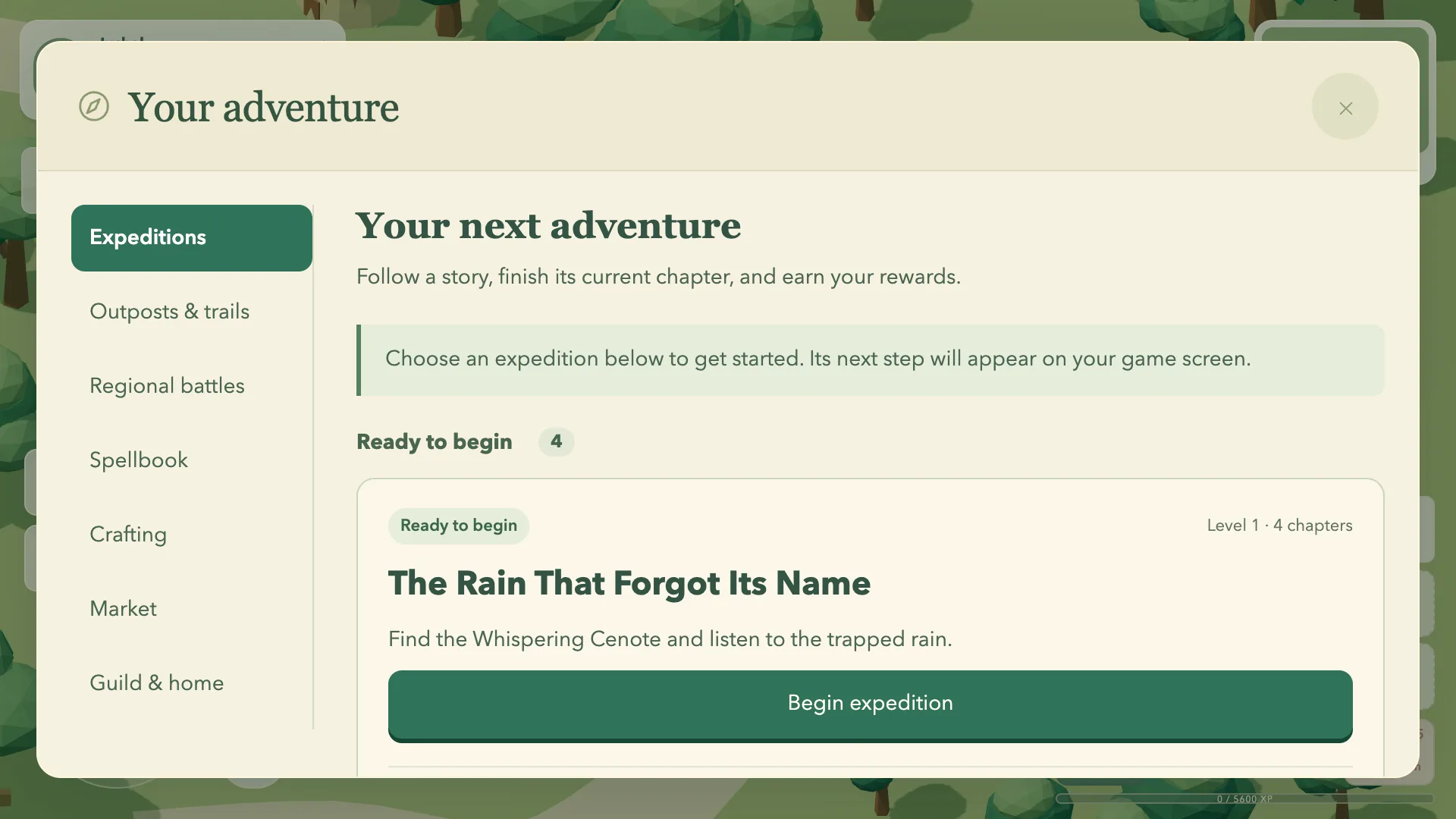
5. Prepare for the next expedition
Inspect your equipment, carry recovery supplies and check the next quest’s requirements before leaving. Gathered materials and crafting can be part of the story itself. After a chapter ends, review the reward and any suggested follow-up adventure.
6. Use the atlas to plan a route
Choose discovered destinations and inspect the route shown by the atlas. Routes depend on known, connected terrain, so an unexplored destination may require finding an approach first. Underground journeys also depend on entrances and accessible layers.
Autowalking is travel through the world, not teleportation. Stay attentive to enemies and changing conditions along the way.
Common questions
Is Tikal Sunbound free to play?
Yes. Free play has no ads, stamina restrictions or session time limits. Optional membership is described in the Jade Circle section; check it for current availability. Your backpack, quests, guilds and ordinary travel stay available for free. City storage has 20 item types and each character has two equipment and action presets; Jade Circle or its preview expands those to 100 types and eight slots. Only a paid Jade Circle member can own a home, bought for 250 gold, while free players can visit with permission.
Do I need to download the game?
No download is required for browser play. Mac and Windows clients are also linked on the homepage.
Can I play offline?
No. The game requires an internet connection and uses an account to save your characters and progress.
How should I hold my phone or tablet?
Gameplay uses landscape orientation. Rotate your device if your browser cannot lock the screen orientation automatically.
Can I change my class later?
Your confirmed vocation is permanent for that character. Calling paths are a separate progression choice, so review the four classes before confirming.
Where can I get account help?
Contact contact@tikal.online. Account and data information is available in the Privacy Policy and on the account deletion page.
Begin your journey in Yaxalún.
Create an account and discover your first story.
Play Tikal Sunbound